
The local console
The console is a page in your browser that answers three questions about a system: what needs my decision, where is every change in the process, and what is the system made of and where does it run. It is optional: everything it does is a slash command you can also run in Claude Code. It runs on your machine, reads the same data as cplat … --json, and stores nothing of its own. Every change it makes is a slash command run by Claude Code in your local clone and ends in a pull request, so budgets, run records and resumes work as in the terminal. Design: ADR-055: The local console is a stdlib web server over cplat JSON; it acts only through Claude Code.
Start in five minutes
Section titled “Start in five minutes”-
Check your setup once:
/platform:doctor. The console needs Claude Code (claude), a logged-ingh, and a kube context per environment for promotions. It starts without them and tells you what is missing. -
In a clone of the system’s
gitops-apprepo, start it:/platform:ui # or: cplat ui/platform:ui --no-open # print the URL, do not open the browser/platform:ui --port 8800 # fixed port; default is a free one -
The browser opens on the Inbox. Press
?on any page for help on that page,gfor this guide inside the console (also Menu → Guide), or⌘K(Ctrl+K) to start something.
The server listens on 127.0.0.1 only. Stop it from Menu → Stop console (it asks first while actions run) or by ending the process. To work on another system, use Menu → Switch system: it lists the gitops-app repos of your GitHub account and organisations, and clones a missing one under workspace (default ~/src).
Your first change
Section titled “Your first change”- Press
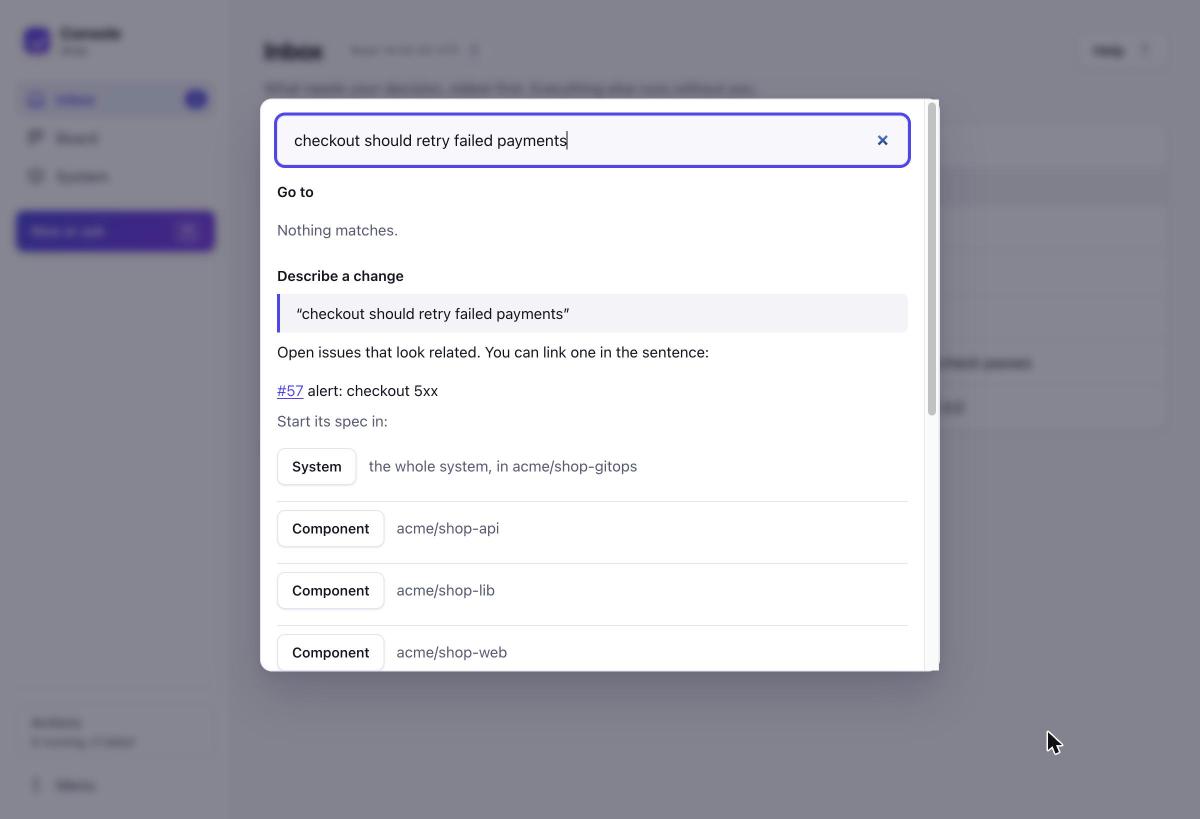
⌘K, type what should change in one sentence, for example “checkout should retry failed payments”. - Pick the level: System (several repos), one Component, or Let Claude decide. Related open issues are listed so you can name one in the sentence.
- The product manager agent writes a draft spec with acceptance criteria and open questions, and opens it as a draft pull request. It appears in the Inbox as answer (questions open) or approve.
- Answer the questions in the Inbox, then choose Approve & ship with a budget. From here the run plans, builds, tests, reviews, merges and deploys to dev and staging without you, and comes back to the Inbox only if it needs you.
- When staging has verified the release, it waits in the Inbox as promote. Read what it changes, then promote it to prod.
The three places
Section titled “The three places”Inbox: what needs your decision
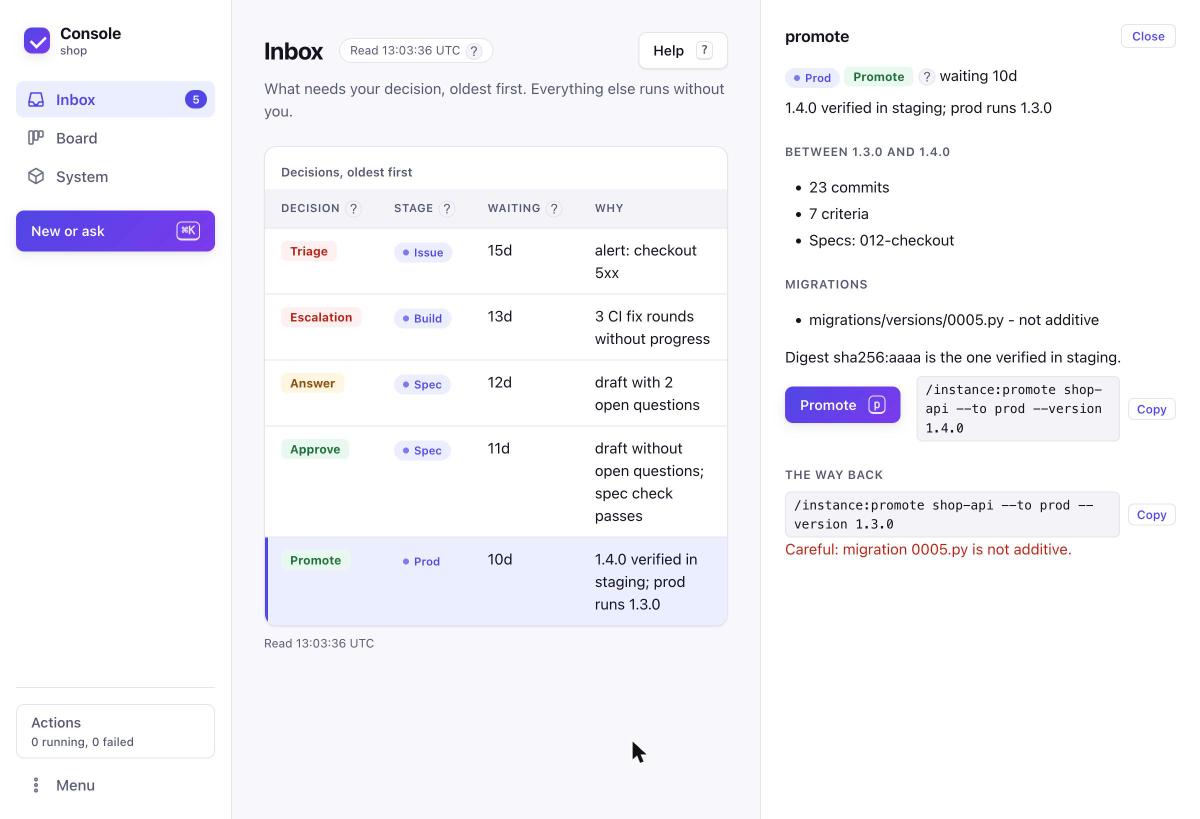
Section titled “Inbox: what needs your decision”The Inbox lists every open decision, oldest first: a draft spec to answer or approve, a run that stopped (escalation), a release to promote, and an alert or failed smoke to triage. When autonomy is on, an engine’s fix that waits for you appears as review (see below). The sidebar badge shows how many there are.
Select one (j/k, Enter) and decide in the side panel. Each decision shows:
- the consequence: for a promotion the commits, specs, criteria and migrations between the running and the new version and whether the digest is the one staging verified; for an approval the repos, the stages that run without you and the expected cost;
- the command it runs, with a copy button;
- the way back: for a promotion the command that promotes the previous version again, with a warning when a migration in between is not additive.
Nothing runs before you click the button (or press its key: a approve, p promote, t take over, o open in Claude Code).
Board: where every change is
Section titled “Board: where every change is”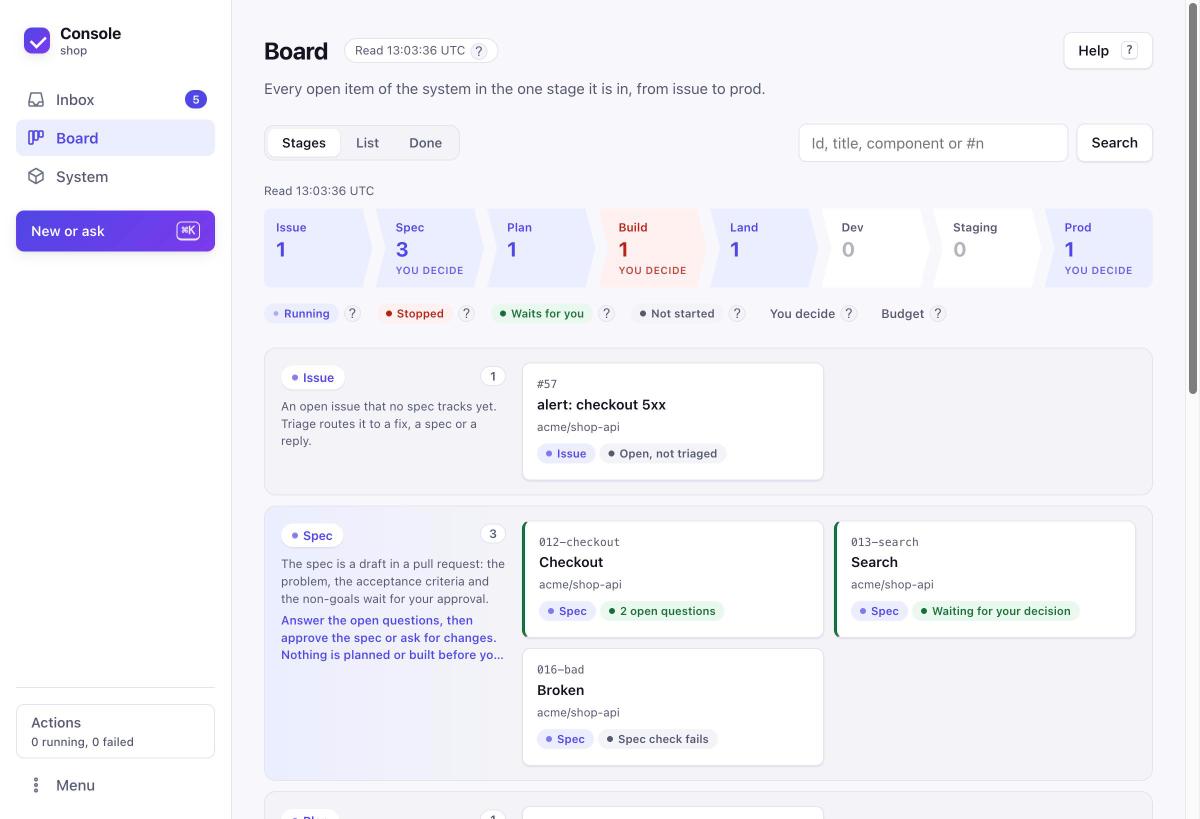
A strip on top shows the eight stages from Issue to Prod with the number of items in each (a stage with a stopped run is red); select one to jump to it. Below, each stage is a row and every open item sits in exactly one; the cards of a stage wrap, so nothing scrolls sideways, and an empty stage is one slim line. Spec, Build and Prod are decision stages (“you decide”). Select a stage name to see what happens in that stage, which agents work there, the commands, and what you decide. Arrow keys move between cards: left and right inside a stage, up and down to the next stage with cards. A run card shows its budget used of its limit, and a stopped run says why in one line.
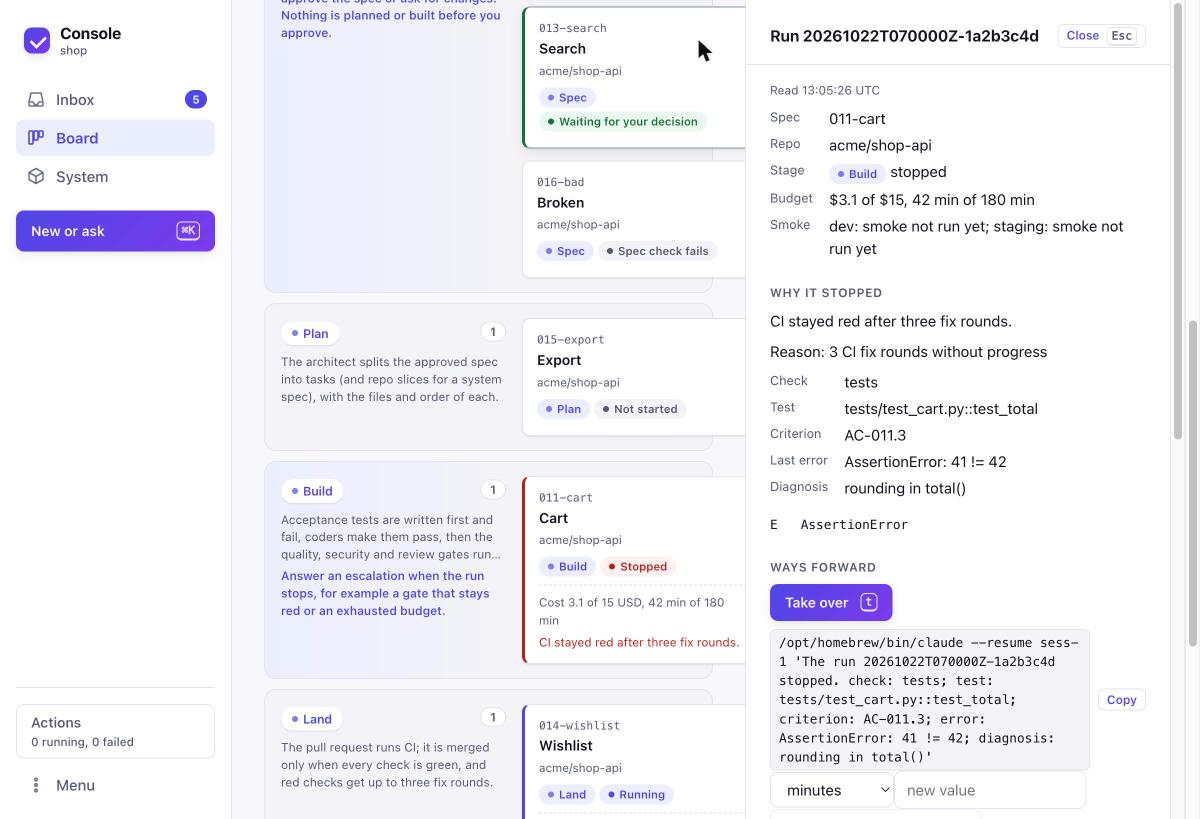
Open a card for its detail: the stage strip, one line per repo slice, every acceptance criterion with its test and verdict, the evidence chain from issue to running instance (pull request, CI, image, instance), and the latest activity. A stopped run explains itself: why it stopped, the failing test and its criterion, the last error and the diagnosis, and the ways forward (take over in Claude Code, more budget, amend the spec).
List shows the same items as a table; Done lists what finished in the last 30 days, 90 days or all time; search finds spec ids, title words, component names and #issue numbers.
System: what it is made of and where it runs
Section titled “System: what it is made of and where it runs”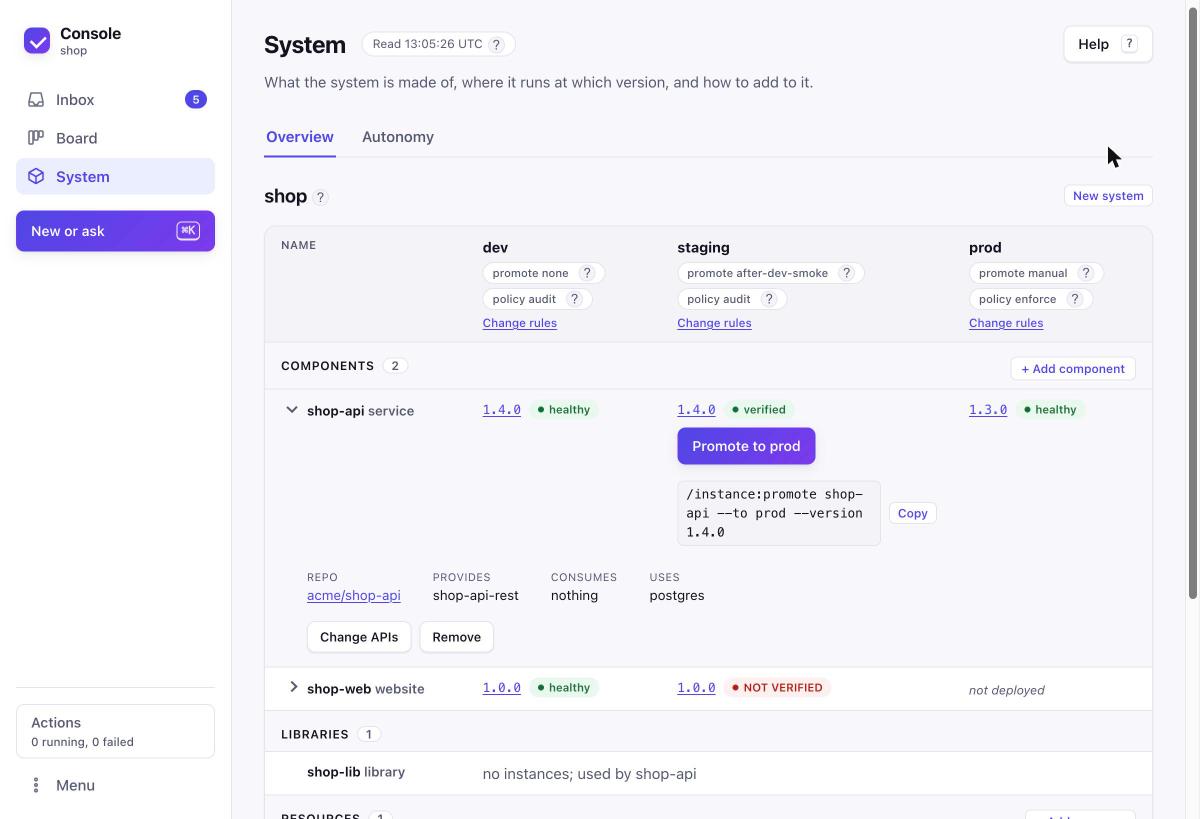
The page shows the system as one tree: Components, Libraries, Resources and APIs, each item a row. A component or resource row has one column per environment, headed by its promotion rule and policy. A cell shows the running version and its state: pinned, healthy, verified (smoke passed), NOT VERIFIED, alert, or unknown when the cluster cannot be read; a legend under the table explains each one. A verified cell before a manual environment offers Promote, and a verified version newer than the last release offers Cut release; both open the decision with its consequence first.
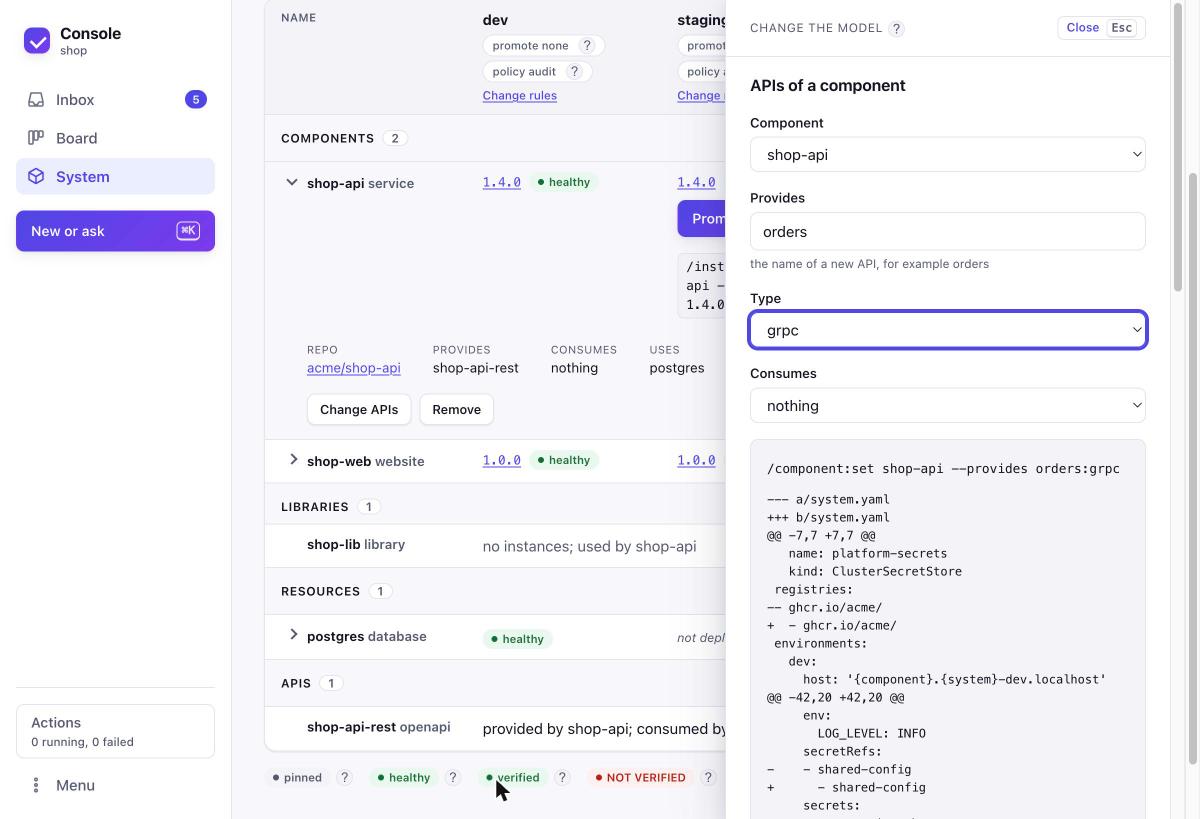
Open a row with its arrow for its repo, the APIs it provides and consumes, the resources it uses and the changes it offers. Every change starts where its item is: + Add component, + Add resource and + Add API on their group, Remove and Change APIs in a row, Change rules on an environment, New system next to the system name. The form opens at the right edge, filled in, with selection lists for what already exists (/component:add|remove, /component:set --provides|--consumes, /resource:add|remove, /system:set --env, /system:new). Each change previews the exact command, the system.yaml diff and the renderer’s checks on a scratch copy before anything runs; an invalid value names the key and the rule. The same forms are in the palette (⌘K).
Autonomy: the System tab for what runs on its own
Section titled “Autonomy: the System tab for what runs on its own”Autonomy is optional and off by default: every environment is at observe until you declare more in system.yaml, and everything here also works from Claude Code alone (/system:autonomy). The full guide is autonomy.md.
System > Autonomy shows, per environment, the declared level and the level it acts at, the guardrails now in force, the engine with its state (ok, unreachable, or none) and last heartbeat, and per-component caps. A level change opens a pull request; a higher level takes effect after the merge. An environment whose engine does not answer, or that declares none, is marked not supervised; a change the engine has not yet answered is marked not confirmed. Pause (and Resume) acts at once and is the one change that does not wait for a merge. Below, Done on its own (last 24 hours) lists what an engine did, with Undo where the policy allows it. The model form “Autonomy” previews a change on a scratch copy first.
The review decision. A fix an engine will not merge by itself (at propose, or outside a guardrail at act) waits in the Inbox as review, showing the guardrails it is outside, the regression test, the second review and the summary. Approve (a) approves the pull request and merges it once every check passed. Signal issues in triage show the signal facts, and cards and rows of engine runs and issues carry an engine badge on the Board.
Help in the console
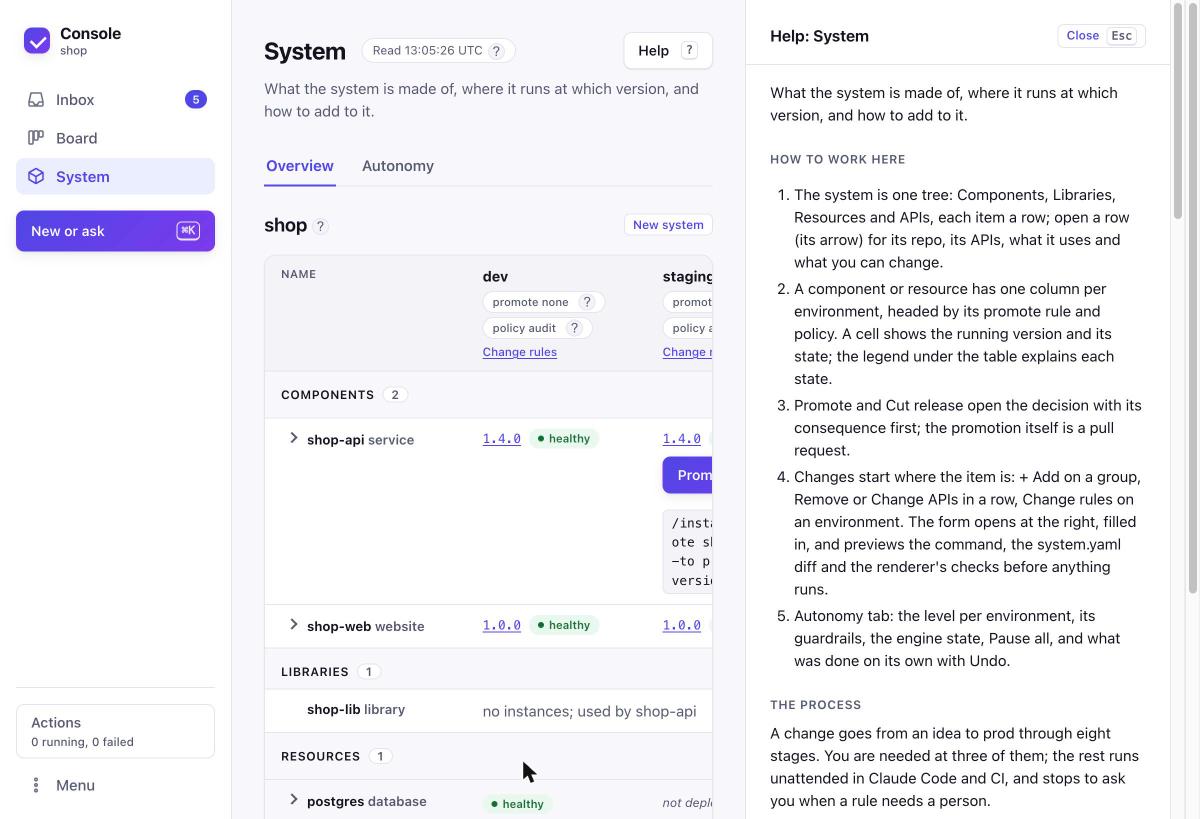
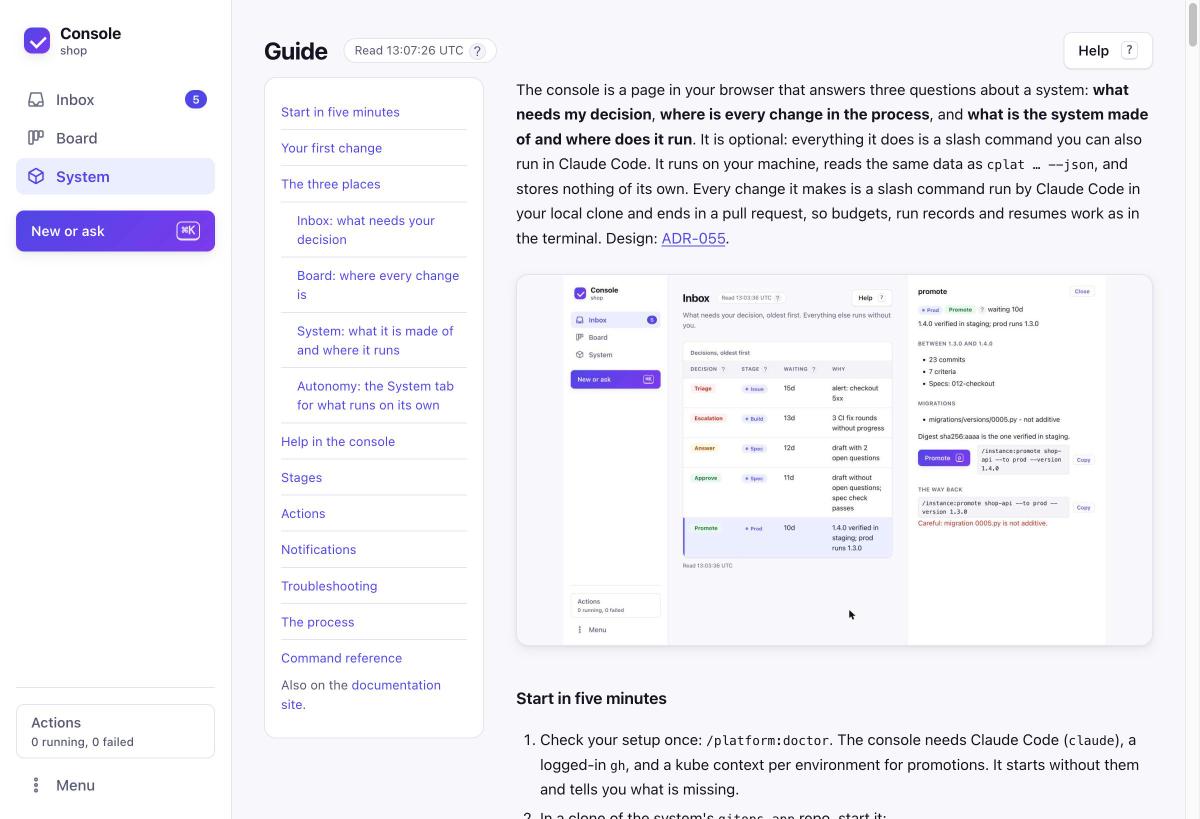
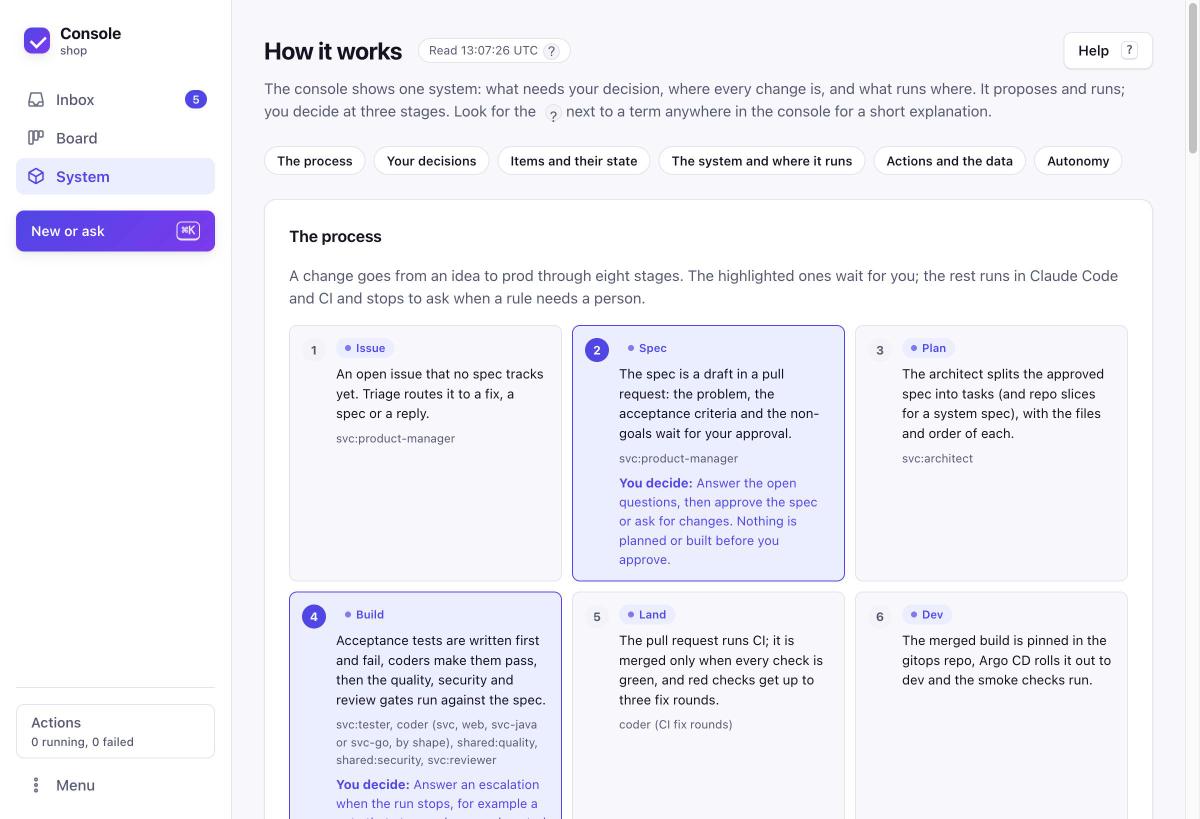
Section titled “Help in the console”Every page has a one-line answer under its title and a Help button (or ?). Next to a term on any page (a decision kind, a card colour, an instance state, a promote rule or policy, an autonomy level) a small ? shows what it means on hover, tap or keyboard focus; its More link opens How it works (Menu → How it works, /help): the eight stages as numbered steps with the three where you decide, and every term grouped by topic, each with its own link. The tips and that page share one text per term (console/glossary.py). The Board and System pages also show a legend of the card colours and instance states. The help explains how to work on that page, the eight stages and where you decide, the keys, and where the data comes from. The whole guide is in the console too (Menu → Guide or g): this text with its screenshots, the process with every stage, and a reference of every command with its usage and a copy button.
Stages
Section titled “Stages”| Stage | What happens | You decide |
|---|---|---|
| Issue | An open issue no spec tracks; /issue:triage routes it |
|
| Spec | A draft spec in a pull request waits for you | answer the questions, approve or request changes |
| Plan | The architect splits it into tasks | |
| Build | Tests first, then code, then quality, security and review gates | answer an escalation |
| Land | CI on the pull request; merged only when green | |
| Dev | Pinned in the gitops repo, rolled out by Argo CD, smoke checked | |
| Staging | Smoke verified in staging; the digest becomes a release candidate | |
| Prod | A verified release waits for promotion | promote |
The console names every item with these stages only; spec statuses and run phases are not shown as names of their own.
Actions
Section titled “Actions”A button runs one slash command through cplat headless in the right clone: approve, approve and ship, request changes, answer, promote, more budget, amend, fix, make a spec, dismiss, cut a release, describe new work, or a model change. The activity indicator (bottom left) shows how many run and how many failed; its panel shows each one’s command, current step and result with links to the run and the pull request, and Retry or Open in Claude Code on failure. One action runs per object at a time. “Open in Claude Code” resumes the run’s session in its repo with the failure loaded, or starts a new one.
Notifications
Section titled “Notifications”cplat ui starts the notifier. Without the console open, schedule it:
*/5 * * * * cplat ui notify --once # cron; use a launchd StartInterval job on macOSChoose channels in ~/.config/sdlc-foundry/notify.yaml (shown under Menu → Settings):
preset: recommended # GitHub and desktop for decisions and alertsevents: # approve answer escalation promote alert smoke run-done retro promote: {github: instant, slack: digest}slack: {channels: ["#shop-dev"]}email: {to: me@example.com, from: cplat@example.com, host: smtp.example.com, port: 587, user: me}digest: {at: "09:00", days: [mon, tue, wed, thu, fri]}quiet_hours: "22:00-07:00"Values are off, instant or digest (digest for Slack and email only). Each event is sent once per channel. Quiet hours hold instant sends, except an alert on prod; held events go into the next digest. When someone resolves an event anywhere, its card leaves the Inbox, the notification issue is closed, and the next digest marks it done.
Secrets never go in the file (it refuses webhook, url, password, token). Set CPLAT_SLACK_WEBHOOK_<CHANNEL> (#shop-dev becomes SHOP_DEV) and CPLAT_SMTP_PASSWORD in the environment, or store them in the OS keychain under service sdlc-foundry (accounts slack-webhook:#shop-dev, smtp:<user>@<host>).
Troubleshooting
Section titled “Troubleshooting”- A banner names a missing piece. Run
/platform:doctor; it checksclaude,ghand the kube context per environment, and every notification channel that is on but lacks a webhook, address, host or password. Actions that need the missing piece are disabled and say so; their commands can still be copied. - A part says “unavailable since …”. A source (GitHub, a cluster, a
cplatcall) failed. Its last data stays, marked stale; health it cannot read shows asunknownand actions that depend on it are off. It retries every 30 seconds, or choose Retry now. - An action failed. Open the activity panel for the reason and the last lines of output, then Retry or Open in Claude Code. Action logs are under
${XDG_STATE_HOME:-~/.local/state}/sdlc-foundry/console/actions/. - “needs a local clone”. The console looks for a component’s clone in this order:
workspacefrom your personal settings (when set), a folder of the same name next to the gitops clone the console runs in, then~/src. A clone next to the gitops clone or in~/srccounts only when itsoriginis the component’s GitHub repository; a clone in a configuredworkspaceneeds.claude/settings.json(a fork’s origin is accepted there). Clone the repo into one of these places, or use Menu → Switch system.